
ICT XBA/SP1-V Vending Bill Acceptor and Printer Combo
The ICT XBA/SP1-V COMBO pairs vending payment hardware with compact receipt and coupon printing. The SP1-V printer is made for machines that need to print a record after a completed transaction.
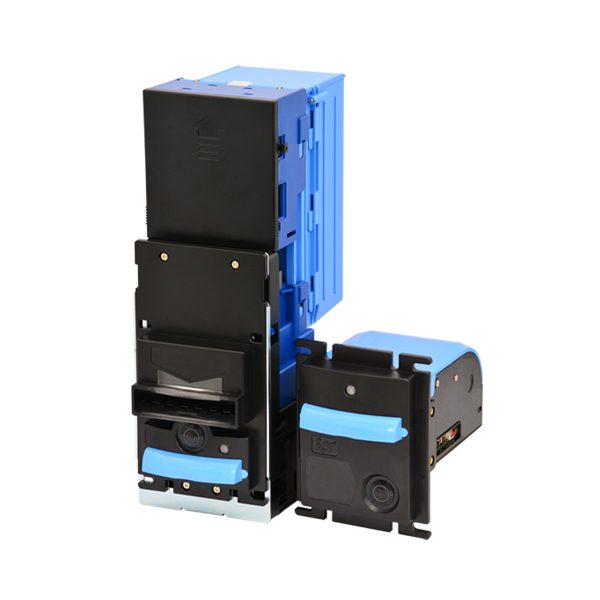
A user print button lets customers request a receipt. ICT Superstore by E & D Trading can help review the printer format, audit-box needs, and integration details for your vending equipment.
Key features
- Purpose-built printer design for vending applications
- Customer print button supports receipt requests
- Custom formats can include logos, text, QR, and bar codes
- USB pen-drive updates simplify setup changes
- Anti-pull paper mechanism helps protect printed output
- Adjustable paper length supports flexible receipt formats
- Low-paper alarm indicator supports planned service
Typical applications
- Vending machines
- Coupon-printing kiosks
- Receipt-enabled payment stations
- Audited vending routes
Details and service notes
The SP1-V portion of this combo is designed for vending applications requiring transaction receipts or coupons. Operators can set a print format that includes a logo, text, and QR or bar codes. Printing formats and settings can be saved or uploaded using a USB pen drive, reducing the time normally spent changing a printer configuration.
When used with ICT's Data Audit Box, the installed printer can print transaction receipts or coupons from recorded audit data. The printer includes an anti-pull paper mechanism, adjustable paper length, and a low-paper alarm indicator. Confirm the desired machine arrangement, paper setup, and audit requirements before purchase. ICT Superstore can help with configuration and service questions.
Keep the XBA/SP1-V print format and USB setup files under the operator's service control. This allows a technician to restore approved receipt or coupon output after a printer service event.
Manuals & DIP switch settings
Official ICT documentation, mirrored here for faster downloads. We are an authorized ICT distributor and service center — if a sheet does not match the unit in front of you, call (877) 922-6707 and we will identify it from the label.
- Installation guideSP1-V & XBA Combo Installation Guide (EN) PDF · 4.2 MB
- BrochureSP1-V+Combo- Brochure (EN) PDF · 374 KB
Frequently asked questions
Can the SP1-V print coupons as well as receipts?
Does this combo work with an ICT Data Audit Box?
Other combo units
View seriesGet a quote on the ICT XBA/SP1-V COMBO
Tell us the currency, denominations, interface and machine you are fitting. We will confirm the exact ICT part number, lead time and price while you are on the phone.